PDF Version Available
This document is also available in PDF format: week2.pdf
The PDF version includes bookmarks for easy navigation and is optimized for printing.
Accessibility Notice
This document is also available in HTML format at:
Link: https://aholdengouveia.name/AdvData/labs/week2.html
The HTML version provides enhanced accessibility features including keyboard navigation, screen reader support, responsive design, dark mode support, and high contrast options.
Request
Request: DATA-3172
Requested by: Operations manager at your company
Data: Your data set from the Introduction to Data lab
Background
Before anyone relies on this data, your manager wants to see that it can answer real business questions, and that your queries are documented so the rest of the team can reuse them. You'll start with a quick SQL refresher as training, then load your data into a database and put it to work.
Learning Outcomes
By the end of this lab, you will be able to:
- Write basic SQL queries to select, filter, and sort data
- Explain what each part of a SQL query does
- Turn business questions about your data set into documented SQL queries, with a business justification for each
- Evaluate a SQL tutorial, including where you needed help
Lab Instructions
Screenshots
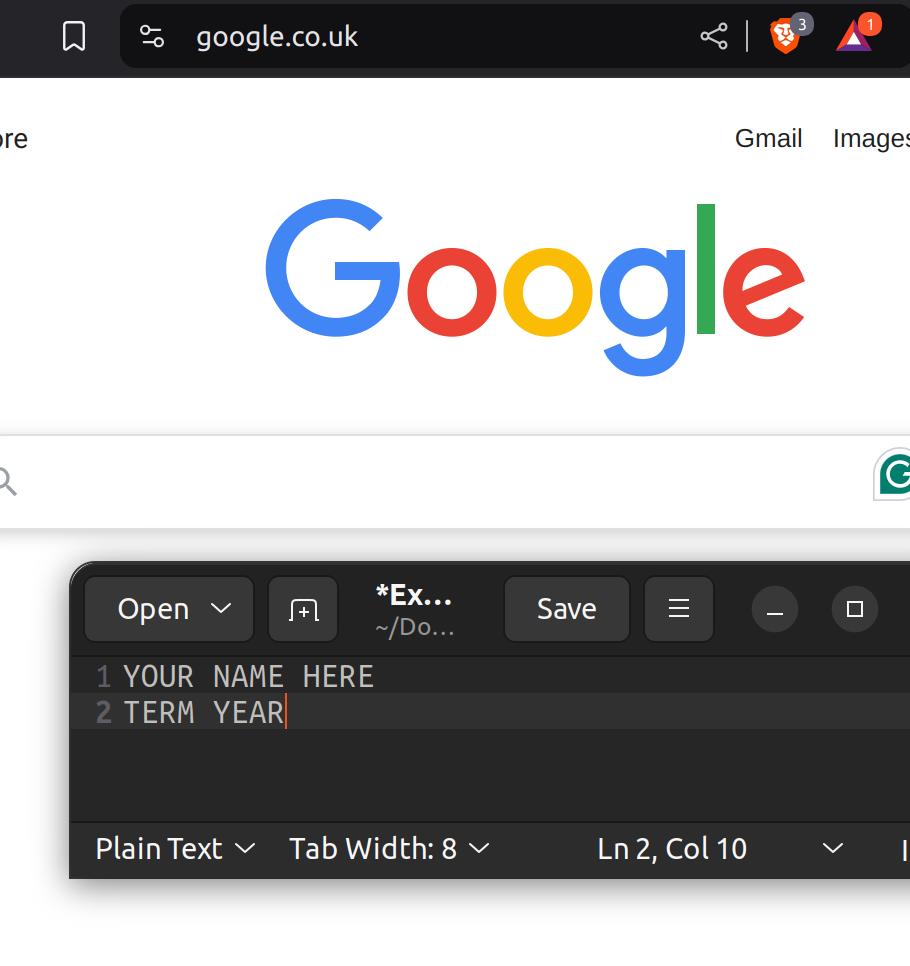
Several parts of this lab ask for a screenshot. Each screenshot should have your name, term, and year. One of the easiest ways to do that is make a text document with your name and term/year on your computer and save it to use all term. Any screenshots that don't include this information won't be counted.
Part 1: SQL Review Tutorial
Go through these 5 sections of SQLBolt (linked under Resources), and complete the exercises at the end of each one:
- SQL Lesson 1: SELECT queries 101
- SQL Lesson 2: Queries with constraints (Pt. 1)
- SQL Lesson 3: Queries with constraints (Pt. 2)
- SQL Lesson 4: Filtering and sorting Query results
- SQL Review: Simple SELECT Queries
Take a screenshot of each section after you complete its exercises. Make sure you have the green checkmark on each problem. Then answer these questions:
- Which, if any, questions did you find challenging? Why?
- How many of the questions did you need a hint on? Why?
- What is your review of this tutorial? What would you change or fix?
- Pick one query you wrote and explain what each part does: SELECT, FROM, WHERE, and ORDER BY.
Part 2: Business Questions About Your Data
Now use SQL on your own data set from the Introduction to Data lab. Books are my example data only, so your questions and queries must be about your own data.
- Load your data set into a database as a single table. You will organize your data into multiple tables later in the term, so one table is fine for now. Here's the way I suggest, which runs in your browser with nothing to install. The tools are linked under Resources.
- Open my CSV to Database Converter, and choose your CSV file. Keep the first 100 to 1,000 rows, since bigger databases can cause errors in browser tools. Select Convert, check the summary, and download your database.
- Open SandboxSQL, use Load a Database, and choose the file you downloaded.
- Check that it worked by running SELECT COUNT(*) on your table. The count should match the number of rows the converter showed.
- Write 5 business questions that someone at the company from your data card might ask about your data.
- Write a query that answers each question. Across your 5 queries, use WHERE, ORDER BY, and at least one WHERE with more than one condition.
- Document each query using the format in the sample query documentation (linked under Resources). Each one needs a header comment with the business question, who is asking, a business justification, and any notes, followed by the query and a short summary of the result. Your result summary must quote specific numbers or values from your results, such as how many rows came back or the top value.
- Take a screenshot of each query and its results.
- Export your database to turn in. In SandboxSQL, use the Export button, which saves it as a .sqlite file. SandboxSQL doesn't always keep your work if you close the page, so export at the end of each session, and use Load a Database to open your .sqlite file next time.
Acceptance Criteria
This request is done when:
- All 5 SQLBolt sections are complete, with a green checkmark on every problem
- Your data is loaded into a database as one table, and your database file is turned in
- 5 business questions that someone at your company would actually ask
- Each question has a query that runs and returns results that answer it
- Each result summary quotes specific numbers or values from your results
- Every query is documented in the sample format, with a business justification
- Across your queries, you use WHERE, ORDER BY, and at least one WHERE with more than one condition
- Every screenshot follows the screenshot rules
Deliverables
Two files:
- A document that includes Part 1, your 5 SQLBolt screenshots and your answers to the 4 questions, and Part 2, your 5 documented queries with a screenshot of each one and its results
- Your database file
Audience: your manager and the rest of the data team.
Resources
References, a video, a PowerPoint and some notes are available at my website Link: https://www.aholdengouveia.name/AdvData/sqlpt1.html
SQLBolt, the tutorial for Part 1 Link: https://sqlbolt.com/
Suggested tool: SandboxSQL, free, runs in your browser, and saves your database as a .sqlite file with its Export button Link: https://www.sandboxsql.com/
My CSV to Database Converter, which makes a database file from your CSV file Link: https://www.aholdengouveia.name/AdvData/labs/csv-to-database.html
Optional, if you'd rather install a tool: DB Browser for SQLite, which can import a CSV file directly Link: https://sqlitebrowser.org/
Sample query documentation, showing the format to follow Link: https://www.aholdengouveia.name/AdvData/labs/SampleQueryDocumentation.txt