PDF Version Available
This document is also available in PDF format: cloudsecurity.pdf
The PDF version includes bookmarks for easy navigation and is optimized for printing.
Accessibility Notice
This document is also available in HTML format at:
Link: https://aholdengouveia.name/InfoSec/labs/cloudsecurity.html
The HTML version provides enhanced accessibility features including keyboard navigation, screen reader support, responsive design, dark mode support, and high contrast options.
Learning Outcomes
By the end of this lab, you will be able to:
- Identify the cloud services you use, and classify them by service model
- Evaluate who can access your data in the cloud, using privacy policies and account settings
- Explain how a cloud outage affects the people and businesses that depend on it
- Plan how to keep going if a cloud service you rely on goes down
Lab Instructions
Most of your data probably lives in the cloud: photos, email, schoolwork, and games. In this lab, you'll look at the cloud services you use, check who can get to your data, and see what happens when the cloud goes down.
Screenshots
This lab asks for about 6 screenshots. Each screenshot should have your name, term, and year. One of the easiest ways to do that is make a text document with your name and term/year on your computer and save it to use all term. Any screenshots that don't include this information won't be counted.
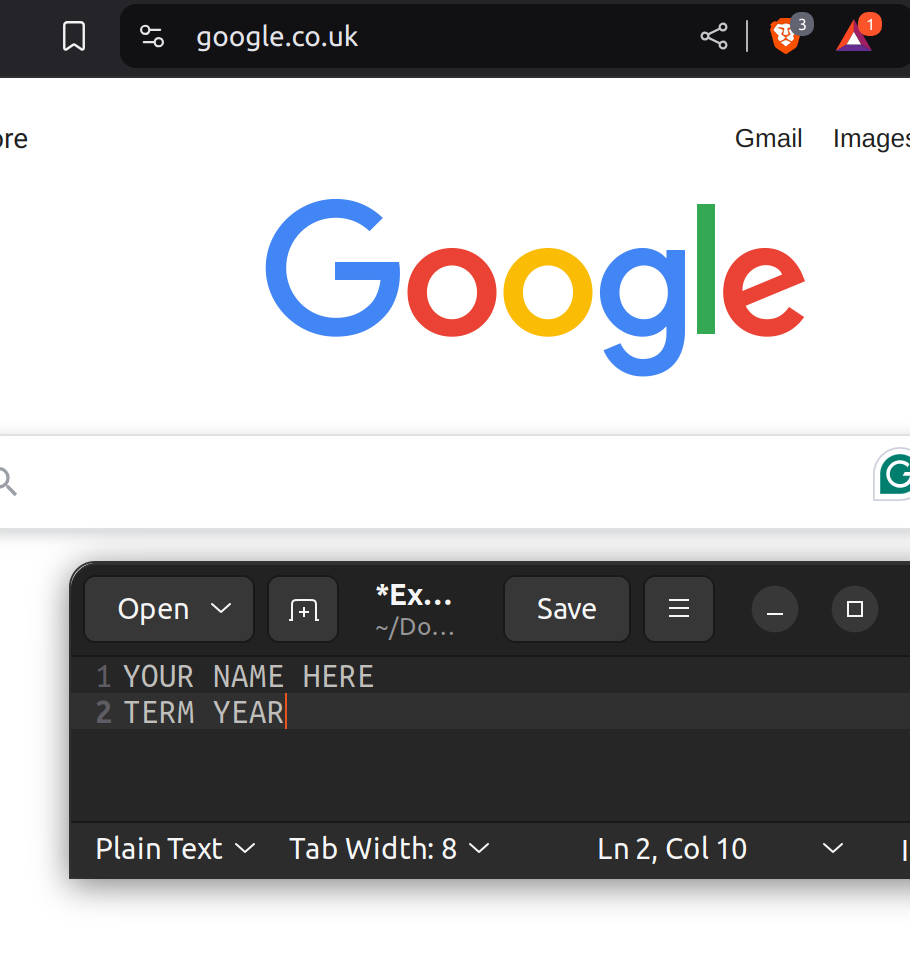
Blur or cover anything sensitive before you turn in a screenshot, as long as your name and term note still shows. That includes email addresses, phone numbers, device names that include someone's name, and locations.
Part 1: Your Cloud
- Make a table of 2 to 6 cloud services you use. Your school email and accounts count. Other examples: iCloud or Google Photos backup, Google Drive or OneDrive, Snapchat, Instagram, TikTok, Discord, Spotify, Netflix, Steam, or your Xbox, PlayStation, or Nintendo account. For each one, include:
- The service, and the company that runs it
- What you keep there
- Its service model: Software as a Service (SaaS), Platform as a Service (PaaS), or Infrastructure as a Service (IaaS). Almost every app you use is SaaS. PaaS and IaaS are mostly used by companies building their own apps, but you should still know the difference.
- Whether it's a public cloud, which many customers share, or a private cloud, used by one organization, such as a system your school runs itself
- Which service would hurt the most to lose? Why?
If you don't use any cloud services besides your school accounts, email me, and I'll give you another option.
Part 2: Who Can Get to Your Data?
Pick 2 services from your table. One of them can be your school account. If you only have one service, email me for another option. For each one:
- Find its privacy policy. Quote one thing it says about who can see or get your data, such as employees, other companies, or law enforcement.
- Quote what it says about encryption. Is your data encrypted while it's stored, and is it end-to-end encrypted, so even the company can't read it? If the policy doesn't say, write “not stated”.
- Find the list of devices or sessions signed in to your account. Take a screenshot. Do you recognize all of them? If not, sign them out.
- Check whether two-factor authentication is turned on. Take a screenshot. If it's off, turn it on, if the service has it.
- Request a copy of your data, such as Google Takeout, Apple's Data and Privacy page, or the service's “download your data” option. Take a screenshot of the request. You don't need to download the whole thing.
- What surprised you most about these 2 services?
Part 3: When the Cloud Goes Down
On October 20, 2025, a problem in Amazon Web Services (AWS) took down thousands of apps and websites. Read Amazon's own summary of what happened, and one of the news articles, all linked under Resources.
- In your own words, what caused the outage, and how long did it last?
- Name 3 apps or websites that went down. Do you use any of them, or did it affect you or someone you know?
- None of those apps were run by Amazon, but they went down anyway. Explain why. What does “when you rely on one cloud provider, its outage is your outage” mean?
- Find the status page for one cloud service you use, such as Discord's status page, your school's IT status page, or the service's page on Downdetector, a website where people report outages. Search for the service's name and “status” if you need to. Take a screenshot. Is everything working right now?
Part 4: Your Backup Plan
- For the service you said would hurt most to lose in question 2, write a short plan. What would you do if it went down for a day? What if it disappeared for good? Include where you'd keep a second copy of your data, how you'd get to it offline, and how you'd reach people without it.
Deliverables
One file that includes:
- Part 1: your table, and your answer
- Part 2: for each of your 2 services, your quotes, your 3 screenshots, and your answers
- Part 3: your answers, and your status page screenshot
- Part 4: your plan
Remember to blur sensitive information in every screenshot.
Resources
References, a video, a PowerPoint and some notes are available at my website Link: https://www.aholdengouveia.name/InfoSec/CloudSecurity.html
NIST's definition of cloud computing, including SaaS, PaaS, and IaaS Link: https://csrc.nist.gov/pubs/sp/800/145/final
Amazon's summary of the October 2025 AWS outage, for Part 3 Link: https://aws.amazon.com/message/101925/
NPR: Outage at Amazon Web Services disrupts websites across the internet (2025), for Part 3 Link: https://www.npr.org/2025/10/20/nx-s1-5580312/aws-outage
PBS News: What to know about the Amazon Web Services outage (2025), for Part 3 Link: https://www.pbs.org/newshour/world/what-to-know-about-the-amazon-web-services-outage
Google Takeout, to download your Google data Link: https://takeout.google.com/
Apple Data and Privacy, to download your Apple data Link: https://privacy.apple.com/
Discord's status page, an example of a cloud status page Link: https://discordstatus.com/
Downdetector, where people report outages for apps and websites Link: https://downdetector.com/